
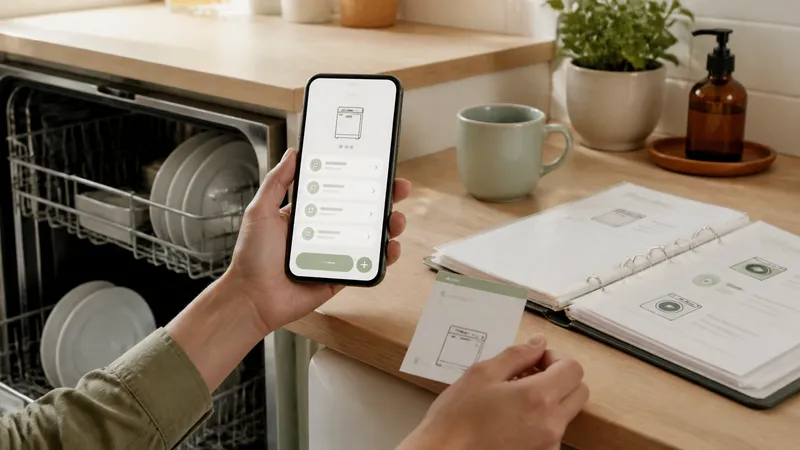
Compare published appliance-tracking features from Housetto, Homer, HomeBeacon, and HomeZada, with a practical test for manuals, warranties, and service history.
Key takeaways
- A useful appliance record connects the model, serial, manual, warranty, and service history to one item.
- Warranty document storage and a scheduled warranty-expiration alert are different capabilities; test both.
- A provider not mentioning a feature does not prove it lacks that feature.
- Check the original label after any automatic scan, and keep your original purchase documents.
An appliance maintenance tracker should help you answer a specific question quickly: what model is this, which filter does it take, when was it serviced, and where is the receipt? A home-wide checklist can be useful, but it does not automatically provide that record for each machine.
This guide compares published product information reviewed on September 6, 2026. Housetto publishes this page and is one of the options discussed. We have not independently tested competing apps. For whole-house planning rather than individual appliance records, see the seasonal app comparison.
Published features to use as a shortlist
| Product and primary source | Advertised record capabilities | Confirm before relying on it |
|---|---|---|
| Housetto | Model and serial capture, manuals and receipts, warranty reminders, and service history per item | Your preferred record fields, notification lead time, and backup restoration workflow |
| Homer inventory | Photo-based item identification, model information, manuals and warranty documents, and inventory PDF export | Accuracy for your exact model, alert settings, and the contents of the exported file |
| HomeBeacon equipment overview | Equipment records with purchase dates, warranties, manual links, and service history | Whether a document is uploaded or linked, and how a task relates to its equipment |
| HomeZada homeowner overview | Home inventory and maintenance alongside project and financial records | The detail available for one appliance and which plan includes the required workflow |
A published description is a starting point. It does not show how an app behaves with a blurry label, a discontinued appliance, or a large scanned manual. An omitted feature is unknown, not a confirmed “no.” Current prices and limits should be checked directly with the provider for your country, platform, and billing term.
The six fields worth testing
Use one actual appliance rather than a demonstration item. A dishwasher or refrigerator is a useful choice because it often has a manual, warranty, consumable parts, and a service history to connect.
- Model and serial number. Compare any recognized text with the label. One wrong character can lead you to the wrong part or manual.
- Label photo. Keep the original image even if automatic recognition works; it is evidence you can check later.
- Purchase and installation dates. These may differ, and the warranty terms determine which date matters.
- Manual and receipt. Open the attachment again from the appliance. A link alone depends on the linked file remaining available and accessible.
- Filter or part number. Check whether it has a dedicated field or needs a note, then see how easy it is to retrieve on your phone.
- Service entry. Log a completed repair with its date, notes, and invoice, and confirm it remains associated with that machine.
You do not need a special field for every detail if a searchable note works well. What matters is that you can distinguish this appliance from another similar unit, especially across more than one property.
Warranty storage is different from warranty reminders
“Tracks warranties” can mean several things: a place for the document, a date field, or a notification before coverage expires. Check the exact behavior in the app. Set a test date and lead time, enable notifications, and verify the reminder on the device you actually use.
Housetto offers a warranty date per item and configurable reminder lead time. For competing apps, confirm current settings and plan requirements directly; this guide does not infer that alerts are absent because a product page does not describe them.
Keep the original warranty and receipt regardless of your tracker. A notification is a prompt to review coverage, not a determination that a repair qualifies. Learn what counts as proof of purchase.
Test export before filling the app
Create one appliance with a label photo, a PDF, and a service entry, then export it. Check whether the export contains the original files, links to them, or only a summary. If it is a backup archive, check the documented restoration process. If it is a PDF, open it outside the app and check that the information you need is readable.
Keeping a file does not necessarily make it importable into another product. Retain original manuals and invoices in a separate location you control, especially before changing apps or accounts.
A spreadsheet remains a valid option
A spreadsheet can hold these fields and document links. Google Sheets also supports images within cells, including through its mobile apps. The work is designing and maintaining the structure and connecting dates to whatever reminder system you use.
An app becomes useful when its built-in item records and care workflow save you that effort. If your spreadsheet and calendar are already reliable, there is no need to switch purely for a longer feature list. Compare the workflow tradeoffs.
Related guides
Frequently asked questions
What should an appliance maintenance tracker store?
Start with a model-label photo, model and serial numbers, purchase or installation date, warranty documents, filter or part numbers, and service history. The useful test is whether you can reopen these details from the specific appliance.
Which apps provide warranty-expiration alerts?
Storing warranty dates does not by itself prove an app sends expiration alerts. Housetto offers per-item warranty reminders. For competing products, confirm the current settings and plan directly, then test an alert instead of relying on a product-page mention of warranties.
Do these apps automatically find manuals?
Homer advertises automatic manual lookup on its inventory page. Verify any result against your exact model. For every app, distinguish automatic lookup from the ability to attach your own PDF or document link.
Can a spreadsheet handle appliance tracking?
Yes. A spreadsheet can hold model numbers, dates, photos, and document links. Cloud spreadsheet apps also offer mobile access. A maintenance app can reduce the setup needed to connect those records with recurring tasks and reminders.
Were competing apps tested for this guide?
No. The competitor summaries describe primary product pages reviewed on September 6, 2026. They do not establish scanning accuracy, notification reliability, support responsiveness, or which paid plan will fit your household.