How to choose
The best home maintenance app is the one you'll still be using in month three
Here is a practical framework for judging a home maintenance app, and a look at what Housetto does — appliance records, warranty tracking, and seasonal care plans, built around your own home instead of a shared checklist.
Free to download · No account required

What best actually means
A home maintenance app earns its place on your phone by doing five things well, not by having the longest feature list:
- It gives your home a real record — appliances, systems, warranties, and service history, not a single running to-do list with no memory of what happened last time.
- It builds a plan around your actual home — your climate, your systems, your home's age — instead of handing you the same generic seasonal checklist as everyone else.
- It reminds you before it's too late, at a lead time you set, for both maintenance tasks and warranty expirations.
- It keeps proof — receipts, photos, and service notes attached to the item they belong to, useful for a warranty claim, an insurance claim, or a future buyer.
- It's private and portable — your home's records shouldn't require an account with a stranger's company, and you should be able to get your data out.
How Housetto is built around that list
A care plan built from your home
Onboarding asks about your climate, systems, and priorities, then generates a maintenance plan around that — not a copy-pasted seasonal checklist everyone gets.
One task at a time, on your terms
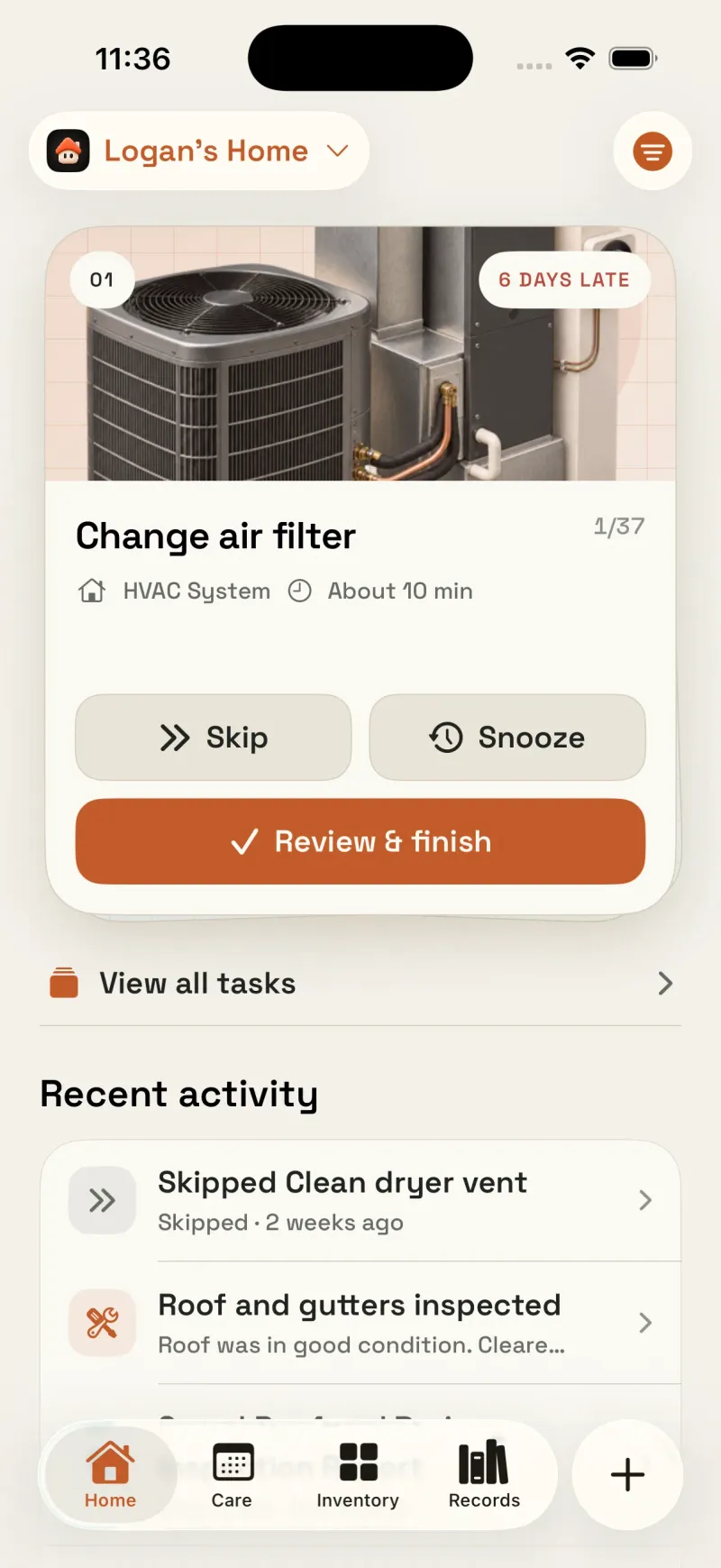
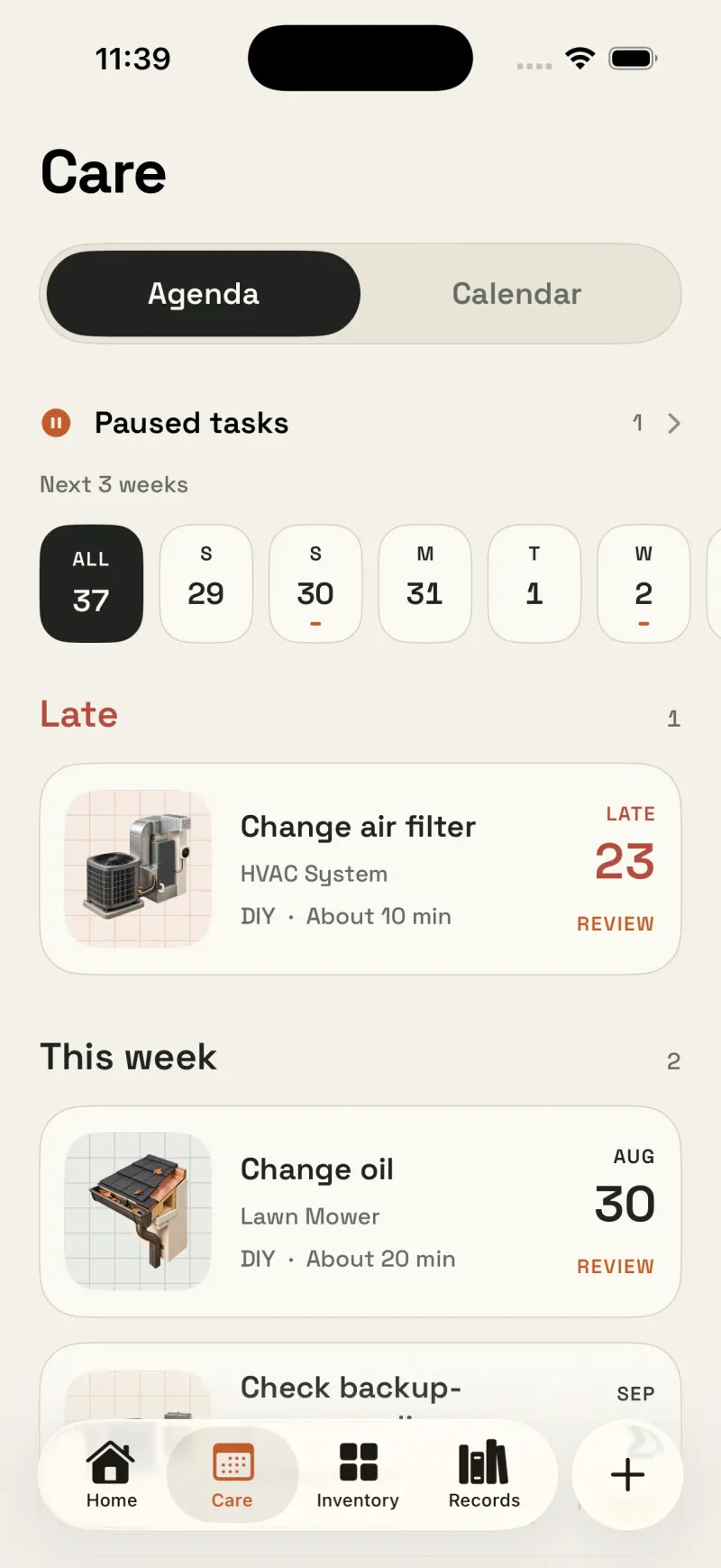
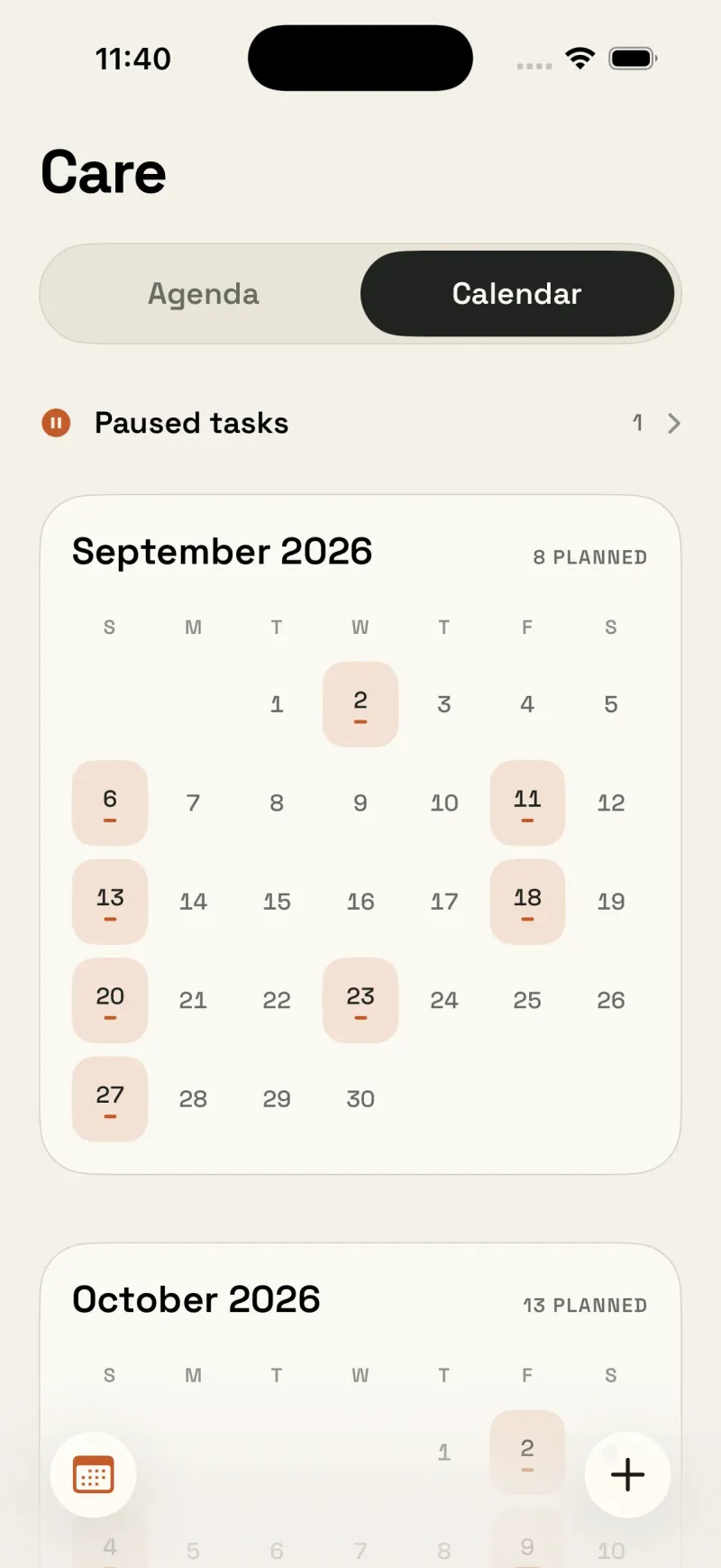
The Care tab shows what's due in an agenda or calendar view, and every task can be finished, skipped, snoozed, or paused — with the reasoning kept, not just the checkbox.
An item record, not a note
Every appliance and system gets its own passport: model, serial, photos, warranty, manuals, and a full service history with receipts attached.
Reminders you control
Set your own lead time for warranty alerts and maintenance reminders, so you're notified with enough runway to actually act.
No account, private sync
Housetto doesn't require signing up for anything. Your home's records sync privately across your devices with your own iCloud account.
Your data, portable
Export a full backup archive of your home's records at any time and restore it on a new device — your records aren't locked to one phone.
Comparing home maintenance apps
App catalogs change often, so treat these tool categories as a starting point for your own research, not a final verdict — always confirm current pricing, features, and availability on the app's own listing before deciding. What we can say with certainty about Housetto is below, because we build it.
| What matters | Housetto | A general checklist app | A spreadsheet |
|---|---|---|---|
| Plan built around your home's climate & systems | Yes, generated at setup | Depends on the app and its templates | No, you build it yourself |
| Per-appliance record with photos & documents | Yes | Depends on the app | Only with manual effort |
| Warranty alerts, per item, custom lead time | Yes | Varies — check the app's listing | Only with your own formulas |
| Service history with receipts attached | Yes | Varies | Photos and document links; you organize the record |
| Account required | No | Varies | No |
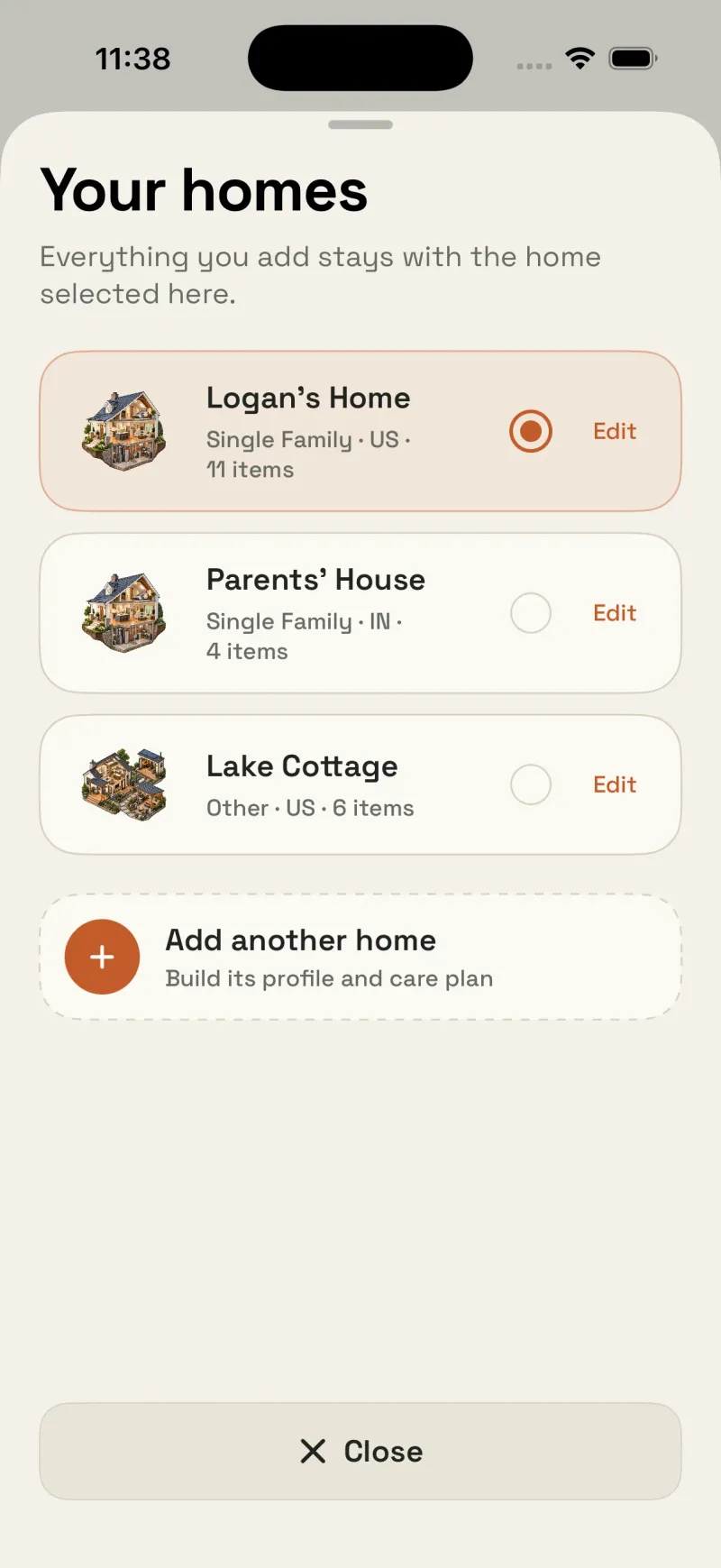
| Multiple homes | Yes | Varies | Yes, with more tabs |
A quick way to test-drive any app you're considering
- Add one real appliance — the one you'd be most annoyed to lose track of.
- Set one reminder and see how it's presented when it comes due.
- Try logging a service visit with a photo or receipt attached.
- Check whether you can get your data back out if you ever switch again.
An app that holds up through that four-step test is one you'll likely still be using in month three — which is the only ranking that actually matters.

Try Housetto with your own home
Free to download, no account required. Add your first appliance and see your plan in a few minutes.
Download on the App StoreFrequently asked questions
- What actually makes a home maintenance app the best one?
- Not the size of its feature list — whether it holds records you'll actually use in the moment you need them (model numbers, warranty dates, service history, seasonal tasks) and whether it reminds you consistently enough that you keep updating it past the first month.
- Is Housetto free to try?
- Yes. Housetto is free to download and set up, with no account required. A subscription (with a free trial for eligible new users) or a one-time lifetime purchase unlocks full access to every feature — check current pricing on the App Store.
- Does Housetto work for more than one home?
- Yes — Housetto supports managing multiple homes and switching between them, useful for a rental property, a vacation home, or helping a family member keep track of theirs.
- Do I need an account to use Housetto?
- No. Housetto doesn't require an account. Your records sync privately across your own devices using your personal iCloud account.
- What if I already use a spreadsheet or another app?
- You can add appliances and homes into Housetto at your own pace — start with the systems and appliances that would hurt most to lose track of, then expand from there. See our full comparison of a home maintenance app versus a spreadsheet for the tradeoffs.