
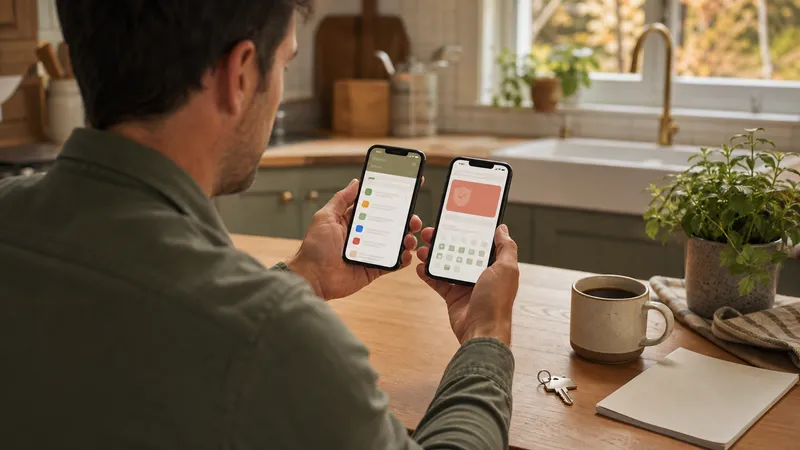
Compare Housetto, Homer, HomeBeacon, and HomeZada using published product features, then test reminders, records, and export with your own home.
Key takeaways
- Choose a maintenance app by how it handles your actual equipment and tasks, not by the size of its feature list.
- Published product descriptions can establish advertised features; they cannot prove reminder reliability or ease of use.
- Check current pricing, device support, and export access before committing a year of records.
- Keep original manuals and receipts independently, and test one export before relying on a new app.
A useful seasonal home maintenance app connects a task to the home and equipment it belongs to, reminds you at a useful time, and keeps the record of what happened. The right choice depends on how you already manage your home. Someone organizing receipts needs a different starting point from someone building a seasonal care schedule.
This shortlist compares published product descriptions reviewed on September 6, 2026. Housetto publishes this guide and is included in the comparison. Competitor descriptions below are their own advertised capabilities, with direct sources; they are not results of independent hands-on testing. For the work itself, see the year-round home maintenance checklist.
Compare the product’s main focus
| Product and source | Published focus | What to test with your own home |
|---|---|---|
| Housetto | iPhone appliance records, warranties, service history, and a tailored care plan | Enter a real appliance, schedule a task, and export a backup |
| Homer | Home inventory, home documents, a project timeline, and task lists | Check how a maintenance task connects to its item and documents |
| HomeBeacon | Recurring maintenance schedules and equipment records, including warranty information and service history | Check the generated cadence against your model manual and change it if needed |
| HomeZada | Home inventory, maintenance, improvement projects, and home finances | Check which plan includes your required maintenance and record workflows |
These products cover overlapping jobs. The table does not rank their quality or imply that an unlisted feature is absent. Compare the exact platform you will use: a web feature may not work the same way in an iPhone app. Follow each provider’s current product and pricing links to check costs, free-plan limits, trial eligibility, and cancellation terms.
Start with one task, not your entire house
Pick a task whose correct interval you already know from the equipment manual. A furnace filter is a useful example, provided you use the filter and HVAC manufacturer’s guidance rather than a generic interval.
- Add the home and the appliance or system.
- Enter the relevant model number and attach the manual or a link you can reopen.
- Set a due date and notification lead time that suits you.
- Confirm that a reminder reaches your phone with notifications enabled.
- Finish the task and check whether the app retains the completion date and notes.
- Change or snooze the next occurrence and check whether the schedule remains understandable.
A successful demonstration tells you more about your own fit than a large features table. It still does not guarantee future delivery: phone settings and permissions affect notifications. Keep safety-critical inspection dates in a system you regularly review.
Records matter after the reminder
A checkbox is useful today; a service record is useful next year. Try adding a receipt or photo to a completed task and reopening it from the appliance record. Check whether you can distinguish a routine filter change from a technician’s repair and whether the information survives an export.
| Question | Why it matters |
|---|---|
| Can I change the task interval? | Model manuals and household conditions may differ from a template |
| Can I find the original receipt? | A warranty or reimbursement request may need the document itself |
| Can I retrieve records without a connection? | A basement or utility room may have weak reception |
| What does an export contain? | A list of item names is different from a backup containing attachments |
| Can I restore or read that export? | A downloaded file is useful only if it gives you a workable recovery path |
Compare the full cost of the workflow
Before entering many records, check the limits for homes, documents, tasks, storage, exports, and household access. Also check whether the feature you need is part of an ongoing subscription or a separate purchase. An advertised free download does not establish that every workflow is free.
Do not choose solely by the lowest price. A tool you use consistently can be more valuable than a cheaper one that you abandon, but an existing spreadsheet and calendar can also be enough. Compare that approach with a maintenance app if you already have reliable habits.
Moving existing records
Keep any CSV exports, downloaded manuals, and original receipts before rebuilding an inventory. Homer’s site explicitly provides a starting point for people looking for a Centriq replacement. Check current import requirements directly with the provider; a migration may omit attachments or need fields mapped manually.
Housetto does not automatically import a Centriq CSV. You can use an existing export as a checklist while adding the appliances that matter most. We do not assert an exact Centriq closure date or promise that another service’s records can be recovered.
Related guides
Frequently asked questions
Which seasonal home maintenance app is best?
The best fit depends on whether your priority is recurring care, appliance documents, or broader home finances. Use the sourced product summaries here to make a shortlist, then test a real task and appliance before deciding.
Are the apps in this comparison free?
Pricing and included features vary by product, plan, country, and billing term. Housetto is free to download and set up, with paid access for the full feature set. Confirm each product’s current offer directly before starting a subscription.
Did you test these apps hands-on?
This is a comparison of published product descriptions, reviewed on September 6, 2026. We have not independently tested competing apps for notification delivery, recognition accuracy, support quality, or export completeness.
What should I check before moving from Centriq?
Keep any exports, original documents, and photos you already have. We have not verified an original shutdown notice or the recoverability of individual accounts. Compare migration options directly with your prospective provider; Housetto does not automatically import a Centriq CSV.