
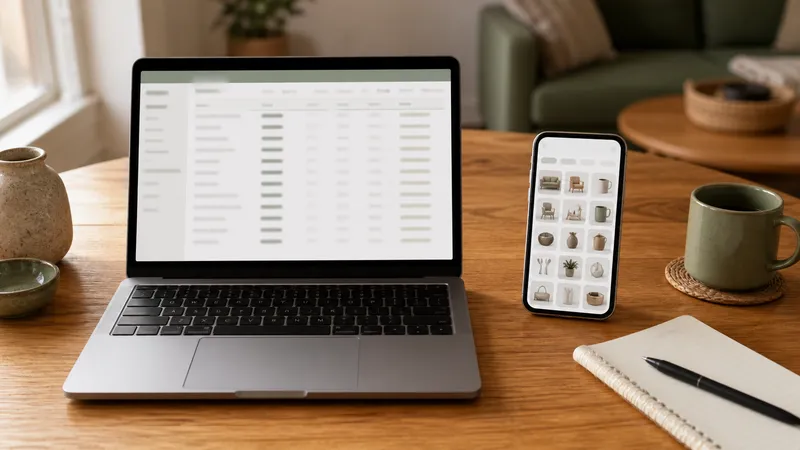
Compare a home inventory spreadsheet against a dedicated app on setup time, photo storage, backup, and what actually helps during an insurance claim.
Key takeaways
- A spreadsheet is free, fully under your control, and fine for a text-based item list—but it doesn't hold photos or receipts inline the way most homeowners actually need for a claim.
- A dedicated app usually beats a spreadsheet on photo storage, off-site backup, and structured fields for model/serial numbers—the exact things insurers ask for.
- Neither format matters if it isn't backed up off the property; a spreadsheet on the same computer as the house it inventories can be lost in the same event as the belongings.
- Choose a spreadsheet if you want full manual control and are comfortable managing your own backups and photo links; choose an app if you want photos, receipts, and item details in one record with less manual upkeep.
- Whichever you pick, the insurer cares about the output—a clear list with photos and estimated values—not which tool produced it.
A spreadsheet and a dedicated home inventory app can both produce a usable insurance record, but they trade off differently: a spreadsheet is free and fully under your control for a text-based list, while an app typically handles photo storage, receipts, and off-site backup with less manual setup. For most homeowners with more than a handful of rooms to document, an app’s built-in photo and backup handling outweighs a spreadsheet’s simplicity—but a well-maintained spreadsheet with a real backup plan works too.
Spreadsheet vs. app: what each is actually good at
| Factor | Spreadsheet | Dedicated app |
|---|---|---|
| Setup cost | Free; you build the structure yourself | Often free or low-cost; structure is pre-built |
| Photo storage | Not built in—usually requires a separate folder and manual linking | Typically built in, attached directly to each item |
| Receipts and documents | Same limitation as photos—separate storage, manual linking | Usually attachable directly to the item record |
| Structured fields (model/serial, purchase date, warranty) | You define and maintain columns yourself | Often pre-built fields designed around exactly this data |
| Off-site backup | Your responsibility—cloud storage, email, or a synced drive | Usually automatic if the app stores data in the cloud |
| Searchability and sorting | Strong if you keep it organized | Varies by app; often supports search and filtering by room or category |
| Working offline during a walkthrough | Depends on your device and app (some spreadsheet apps work offline) | Varies—check whether the specific app requires a connection |
What matters most for an actual insurance claim
An insurer reviewing a claim wants a clear description of each item, an estimated value, and supporting documentation where you have it—a photo, a receipt, or both. Consumer guidance from state insurance departments on building a home inventory emphasizes keeping photos, receipts, and a written or digital list together, and storing a copy away from the home itself (California DOI: Home Inventory Guide). Neither a spreadsheet nor an app satisfies that requirement automatically—it depends on whether you actually attach and back up the supporting documents, not which tool you chose.
| What the claim needs | Spreadsheet approach | App approach |
|---|---|---|
| Item list with estimated values | Native—this is what spreadsheets do well | Native, usually with less setup |
| Photos tied to each item | Requires a linked folder or embedded images, which can break if the file moves | Usually attached directly to the item, no separate linking |
| Off-site backup | Manual—save to cloud storage or email yourself a copy | Often automatic if data syncs to the cloud |
| Access during a claim (phone, different device) | Depends on where the file is stored and whether it’s shared | Usually accessible from any device via the app |
When a spreadsheet is the better fit
- You want full control over the structure and don’t mind building your own columns and formulas.
- Your inventory is modest and mostly text (make, model, approximate value) without heavy reliance on photos per item.
- You already have a reliable cloud backup habit (a synced folder, automatic cloud saves) and will actually maintain it.
- You want the data portable in a plain format that isn’t tied to any one company’s app continuing to exist.
When an app is the better fit
- You want photos and receipts attached directly to each item without managing a separate folder structure.
- You’d rather have backup happen automatically than remember to do it yourself.
- You want structured fields built for this specific purpose—model/serial numbers, purchase dates, warranty status—without designing your own spreadsheet template.
- You’re tracking appliance manuals and warranties alongside general belongings and want it in one place rather than two systems.
When to call a professional
| Situation | Why it’s not just a tool choice |
|---|---|
| You’re filing a claim and unsure what documentation your policy requires | Call your insurance agent or adjuster directly and ask what format and detail they need before assembling your final submission |
| High-value items (art, jewelry, collectibles) | A professional appraisal may be worth it regardless of which tool tracks the item, since insurers often require documented value above a certain threshold |
| You’re rebuilding an inventory after a loss with no prior records | A public adjuster or your insurer’s claims team can guide reconstruction methods—recent receipts, retailer history, and photos from other sources |
Related guides
Frequently asked questions
Is a spreadsheet good enough for a home inventory, or do I need an app?
A spreadsheet is good enough if you’re comfortable managing your own photo links and backups and mainly want a searchable list of items and values. It falls short on storing photos and receipts inline, and it requires you to set up your own off-site backup. An app typically handles photo storage and backup automatically, which matters more the larger your inventory gets.
What does an insurance company actually need from a home inventory, spreadsheet or app?
Insurers generally want a description of each item, an estimated value, and supporting documentation—photos and receipts where available. Neither format is required over the other; what matters is that the list is complete, current, and backed up somewhere other than the house itself, per insurance-industry consumer guidance on inventory records.
Can I switch from a spreadsheet to an app later without starting over?
Often yes, if the app supports importing a CSV file, which most spreadsheet tools can export. You’ll still need to add photos and receipts manually since a spreadsheet typically doesn’t store those, but the item names, values, and categories can usually transfer directly.
Which is more secure if my house is damaged or destroyed?
Security depends on where the file lives, not the format. A spreadsheet saved only on a home computer is just as vulnerable as a paper list in a drawer. A spreadsheet backed up to cloud storage is as secure as an app that also stores data in the cloud. The format matters less than whether a copy exists off the property.
Do apps cost money, and is a paid app worth it over a free spreadsheet?
Some inventory apps are free with optional paid tiers for more storage or features; others charge a subscription. Whether it’s worth it depends on how much you value automatic photo storage, backup, and structured fields (model/serial numbers, warranty dates) versus the time cost of building and maintaining that structure yourself in a spreadsheet.