
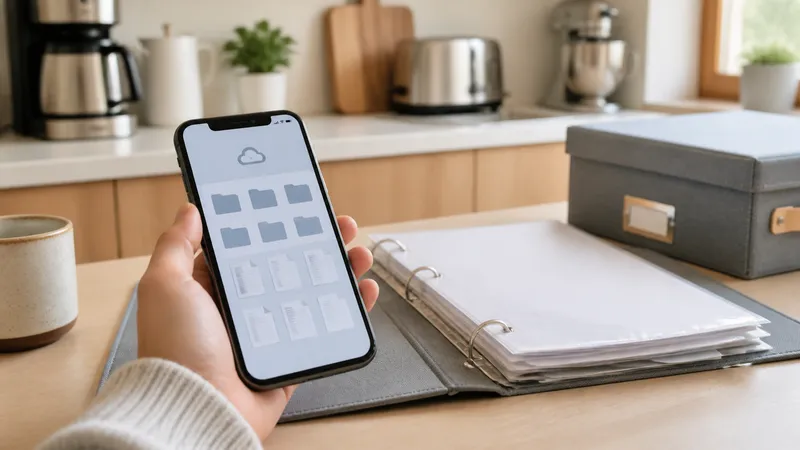
Store appliance manuals digitally with one cloud folder per appliance, manufacturer PDF lookups, and recall alerts—so a manual is findable in seconds.
Key takeaways
- Save a PDF of every manual to a cloud folder or app, organized by appliance name, the day you unbox it—don't rely on the printed booklet surviving.
- Most manufacturers publish current manuals free by model number on their own support site—search there before a third-party manual site.
- Name each file with the appliance and model number, not the generic filename the manufacturer's site downloads it as.
- Register appliances with the manufacturer or check CPSC recall listings periodically; manuals and recall notices both key off the same model/serial number.
- Keep one physical copy only if a manual has quick-reference safety info you'd need without power or a phone—everything else can be digital-only.
Store appliance manuals digitally by saving a PDF of each one to a cloud folder or app the day you unbox the appliance, named by appliance and model number, rather than keeping only the printed booklet. Most manufacturers publish current manuals free on their own support site by model number, so a lost physical copy is usually recoverable in minutes—the bigger risk is not knowing the model number once the label fades or the appliance is built in. This is a narrower topic than a general home inventory: it’s specifically about the manuals themselves, not the item photos and values a broader inventory tracks.
Save the manual the day you unbox the appliance
The best time to save a manual is before the box, the printed booklet, or the model/serial label gets lost, painted over, or pushed against a wall. Photograph or scan the manual’s cover page (it usually shows the model number) and either keep the manufacturer’s PDF or download a current one from their support site, then save both to a cloud folder you’ll actually check later.
| Step | What to do |
|---|---|
| 1 | Photograph the appliance’s model/serial label before installation or built-in placement |
| 2 | Download the current manual PDF from the manufacturer’s support site using that model number |
| 3 | Rename the file: appliance name + model number (e.g., “Dryer - Whirlpool WED5620HW”) |
| 4 | Save to a cloud folder or an app, organized by appliance or by room |
| 5 | Recycle or file the paper copy only if it has safety-critical quick reference you’d want without power |
Finding a manual you’ve already lost
Manufacturers host current manuals as free downloads on their own support sites, searchable by model number—this is the first place to check, since it’s the most current and accurate version. Whirlpool’s manuals page and GE Appliances’ literature library are both organized this way, letting you search by model number to pull the exact PDF for your unit (Whirlpool: Kitchen and Laundry Appliance Manuals; GE Appliances: Owner Manuals and Literature). If the model is old or discontinued and the manufacturer’s site doesn’t have it, third-party manual libraries can fill the gap—confirm the exact model number matches before trusting the content, since near-identical model numbers sometimes cover different appliance revisions.
| Method | Best for | Caveat |
|---|---|---|
| Manufacturer’s own support site | Any current or recent model | Fastest and most accurate; some very old models aren’t listed |
| Third-party manual library | Discontinued or older models | Confirm the exact model number matches; content can be a scan of a different revision |
| Calling the manufacturer’s support line | Model numbers you can’t identify from a worn label | Have any partial label info, purchase date, or receipt ready |
How to organize the files
A flat folder of oddly named PDFs is nearly as hard to search as a paper drawer. Two structures work well:
- One folder per appliance, containing the manual, the receipt, and the model/serial photo together.
- One shared folder for the whole house, with every file named consistently: appliance + model number, so a search for “dishwasher” or the model number itself returns the right file immediately.
Either way, the file name matters more than the folder structure—a manufacturer’s download is often named something generic like UseAndCare_2024.pdf, which is unsearchable a year later once you’ve saved a dozen of them.
Registering products and checking for recalls
The model and serial number on a manual’s cover is the same identifier used to register a product with the manufacturer and to check for a safety recall. The U.S. Consumer Product Safety Commission maintains a searchable recall database covering home appliances, and its Recall Search by Company page lets you check a specific manufacturer directly (CPSC: Recalls & Product Safety Warnings). Registering a product with the manufacturer (often done from the same manuals page) typically triggers automatic notification if that model is later recalled, rather than relying on you to check periodically.
Related guides
Frequently asked questions
Where can I find a digital copy of an appliance manual I’ve lost?
Start with the manufacturer’s own support site and search by model number—most major brands (Whirlpool, GE, Samsung, LG, Bosch, and others) host current manuals as free PDF downloads. If the model is discontinued or the manufacturer’s site doesn’t have it, third-party manual libraries can fill the gap, but confirm the model number matches exactly before relying on the content.
Should I keep paper manuals or only digital copies?
Digital-only is sufficient for almost everything—a searchable PDF is easier to find and share than a paper booklet in a drawer. Keep one physical copy only for a manual with safety-critical quick reference you’d need without power or a phone, like a gas shutoff procedure, and store that copy near the appliance itself, not in a general drawer.
How should I organize manual files so I can find them fast?
One folder per appliance (or one folder for the whole house with a consistent file-naming pattern), with each file named by appliance and model number rather than the generic filename the manufacturer’s download provides. A folder named “Kitchen refrigerator - Whirlpool WRS325SDHZ” is faster to search than “manual_2024_v3.pdf.”
What’s the difference between an owner’s manual and a service manual?
An owner’s manual covers setup, use, and basic troubleshooting for a homeowner. A service manual is written for technicians and covers internal repair procedures, wiring diagrams, and parts—manufacturers often don’t publish these publicly, and some appliances (gas, sealed refrigerant systems) shouldn’t be serviced from one without a license regardless of availability.
Does saving a manual help with a recall or warranty claim later?
Indirectly—the model and serial number on the manual’s cover or first page is the same identifier used for both. Keeping the manual with that information visible means you have it on hand to register the product, check for a recall, or start a warranty claim without having to find the physical label on the appliance again.